Contact Ownership
Overview #
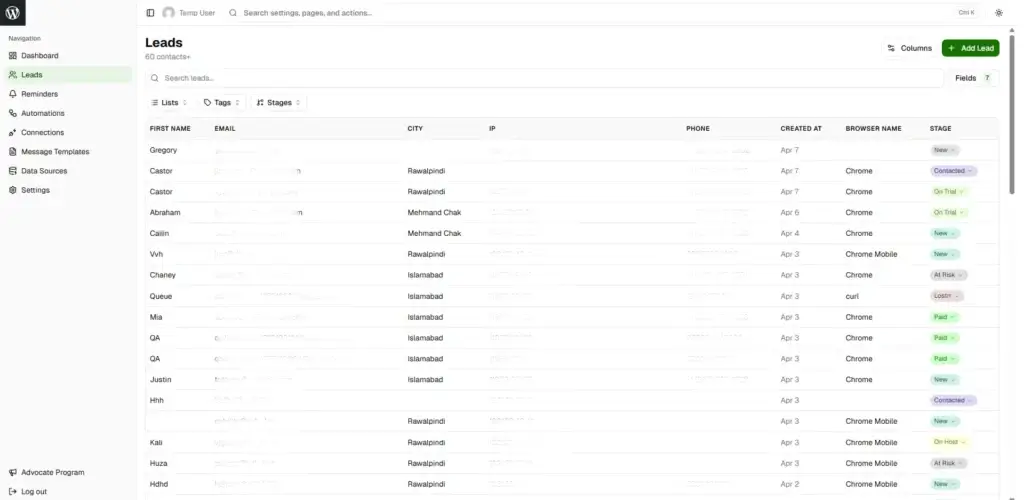
Contact ownership assigns responsibility for contacts to team members and controls who can view or edit them. Owners receive notifications and manage follow-ups for their assigned contacts.
How Ownership Works #
Automatic Assignment
- Manual creation: Owner = Creator
- Form submission: Unassigned (or per integration rules)
- API: Specified user or explicit
contact_ownerfield
Owner Field
- Purpose: Assigns responsibility for contacts
- Values: WordPress user or unassigned
Ownership States
Assigned: Has owner, visibility depends on view scope
Unassigned: contact_owner = null, visible to all, available for claiming
View & Update Scopes #
View Scope
Controls which contacts users can see:
- All: See all contacts (Managers, Admins)
- Owned: See only owned + unassigned contacts (Sales reps, Support)
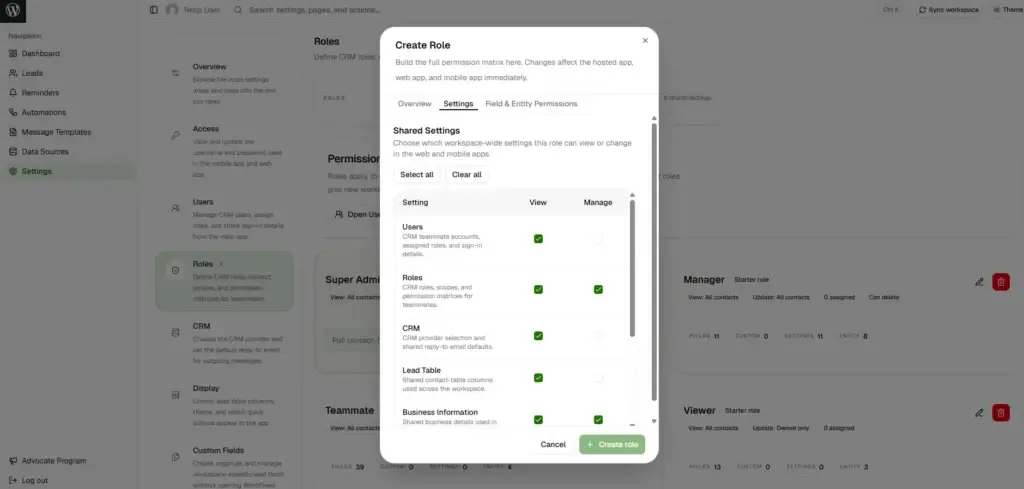
Update Scope
Controls which contacts users can edit:
- All: Edit any contact (Managers, Admins)
- Owned: Edit only owned contacts (Sales reps, Support)
Configuration: Role Manager → Permissions
Best Practices #
For Managers
- Set clear ownership rules (territories, claiming process)
- Monitor unassigned contacts regularly
- Balance workload across team
- Use “view all” permission for oversight
For Team Members
- Claim contacts promptly
- Reassign if unable to follow up
- Respect team ownership protocols
Common Scenarios #
Round-Robin: Form submissions → unassigned → team claims from pool
Territory-Based: Assign by location, “owned only” view per territory
Skill-Based: Tag-based claiming or auto-assignment
Manager Oversight: Manager (view all), Reps (view owned only)
Troubleshooting #
Can’t see contact: “View owned only” setting and contact owned by another → Ask manager to reassign or change scope
Can’t edit contact: “Update owned only” setting and not owner → Ask for reassignment or scope change
Can’t claim: Contact already assigned or missing create permission → Verify unassigned status and permissions
Can’t reassign: Missing reassign permission or don’t own contact → Request permission or manager assistance


