Understanding Contacts
Overview #
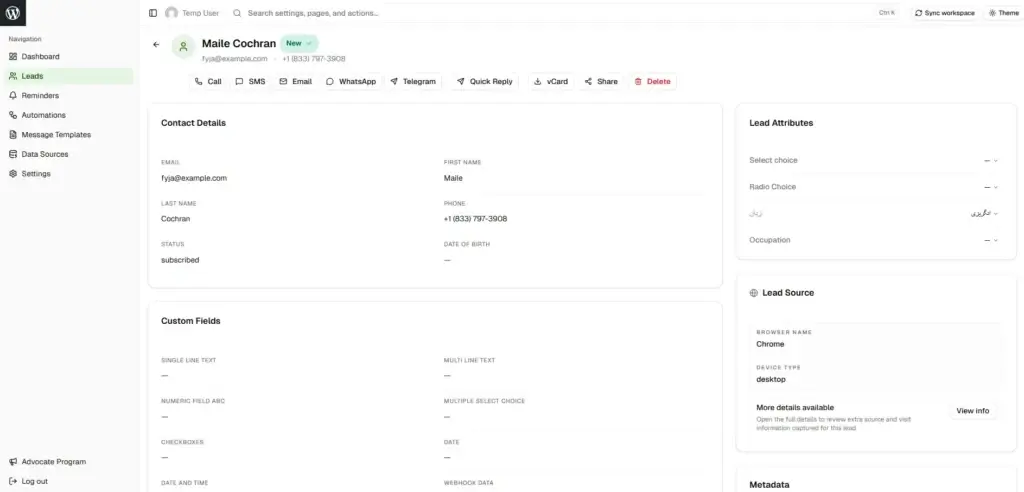
Contacts are the foundation of PloverCRM. Each contact represents a person or entity with standard fields (email, name, phone), custom fields, lists, tags, stage, notes, and metadata.
—
Contact Storage #
PloverCRM stores contacts in your WordPress database with support for both built-in PloverCRM storage and FluentCRM integration.
PloverCRM (Built-in):
– Contacts stored as custom post type
– Standard fields in post metadata
– Lists/Tags using WordPress taxonomies
– Notes stored as comments
– Custom fields with special prefix
FluentCRM Integration:
– Contacts synchronized with FluentCRM database
– Custom fields in subscriber metadata
– Lists, tags, and notes in FluentCRM tables
—
Standard Fields #
Required
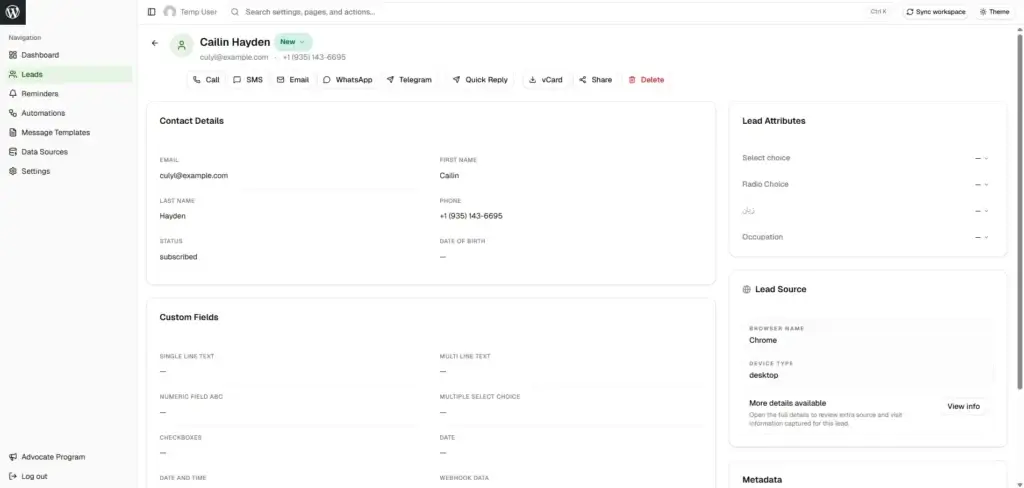
– Email – Validated format, can be unique
Optional
– First Name – Up to 255 characters
– Last Name – Up to 255 characters
– Full Name – Computed from first + last, auto-splits when provided
– Phone – Any format, can be unique
– City, State, Country, Postal Code – Location fields
System (Read-Only)
– ID – Auto-generated unique identifier
– Created At / Updated At – Timestamp tracking
– Avatar – Profile image or initials
—
Contact Relationships #
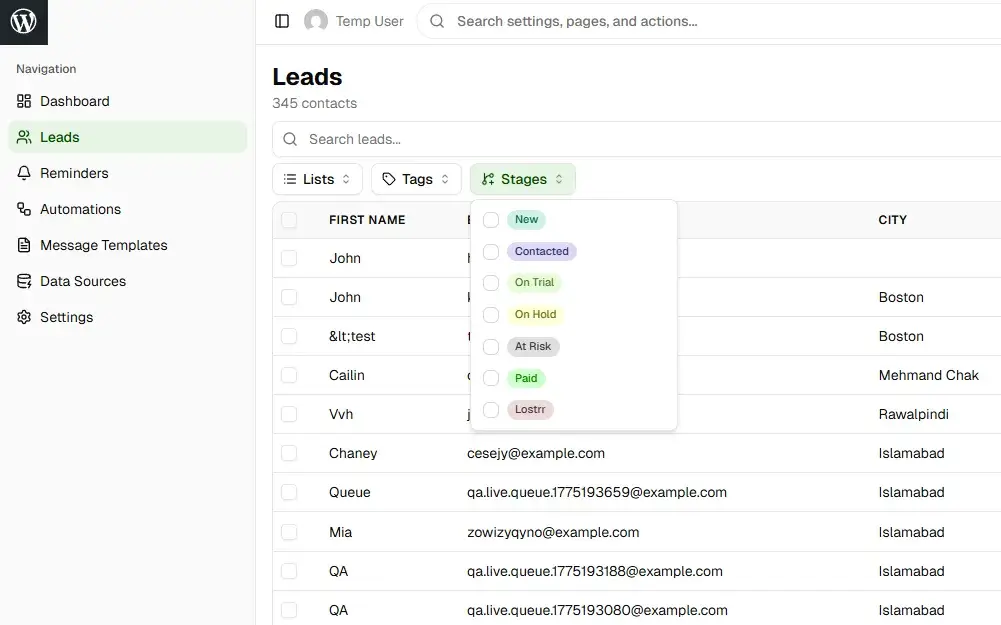
– Lists – Many-to-many, group contacts by category
– Tags – Many-to-many, label with attributes
– Stage – Single value, tracks lifecycle position
– Owner – WordPress user, assigns responsibility
—
Contact Lifecycle #
- Creation – Manual entry, form submissions, CSV import, API, webhooks
- Enrichment – Auto-adds UTM params, device info, location (10 seconds after creation)
- Management – Updates, list/tag assignment, stage progression, owner assignment, notes
- Deletion – Manual, bulk operations, API (cascades to notes/reminders)
—
Contact Uniqueness #
Prevents duplicates using configured unique field (Email, Phone, or Custom Field).
How it works:
– Checks unique field before creating contact
– If exists: Updates existing contact
– If doesn’t exist: Creates new contact
Configure: PloverCRM → Settings → General → Unique Field

—
Contact Ownership #
Determines responsibility, visibility (view scope), update permissions, and notifications.
– Assigning: Assign to specific users or leave unassigned for claiming
– Claiming: Team members can claim unassigned contacts
—
Contact Permissions #
– View Scope: All contacts or Owned only
– Update Scope: All contacts or Owned only
– Field-Level: Per-field Create/Read/Update permissions by role
—
Search & Filtering #
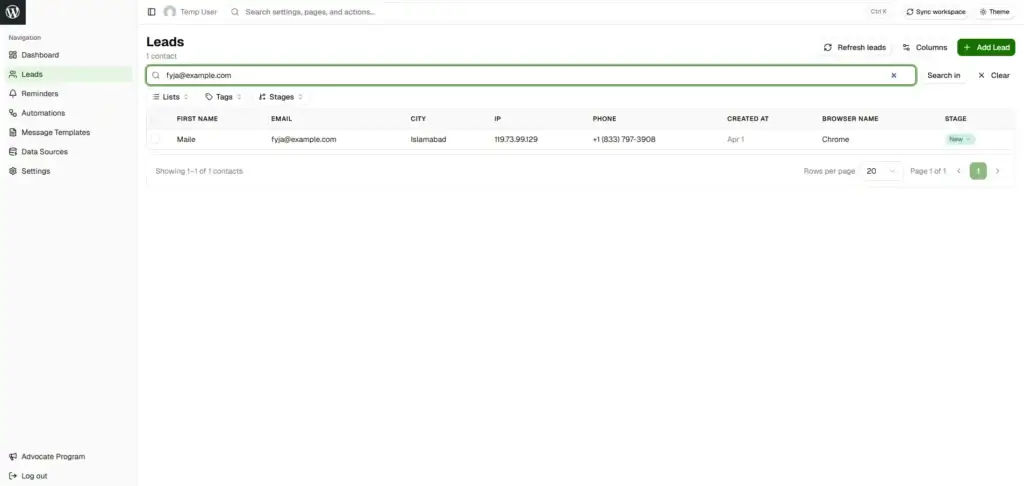
– Search: Email, name, phone, custom fields, full-text, wildcards
– Filter: List, tag, stage, owner, date range, custom field values
—
Import & Export #
– Export: CSV with all standard/custom fields, lists, tags, metadata
– Import: CSV with column mapping, bulk import, duplicate handling, validation
—
Best Practices #
Data Quality: Always collect unique field, validate before import, use consistent formatting, clean regularly
Organization: Use lists for categories, tags for attributes, stages for progress, owners for accountability
Privacy: Only collect necessary data, get consent, provide unsubscribe, honor deletions, secure data


